Import Travellers and Automatically Approve Flights
By Maarten Balliauw · Published
There are two features that, when used together, make arranging travel for conference speakers with SpeakerTravel even easier: importing travellers from Excel, CSV or Sessionize.com, and (optional) auto-approval of flights within budget. Combining them makes booking travel for speakers run on auto-pilot!
Importing Travellers from Excel, CSV or Sessionize.com
When using SpeakerTravel to arrange travel for conference speakers, you can invite travellers by entering their details directly. This is fine for smaller events, however larger conferences may want an easier way to invite multiple travellers at once.
Multiple travellers can be invited in one go, by importing them from an Excel (XLSX), CSV, or tab-delimited text file. And since many conferences use Sessionize.com for their Call for Papers, SpeakerTravel also supports importing their list of approved speakers.
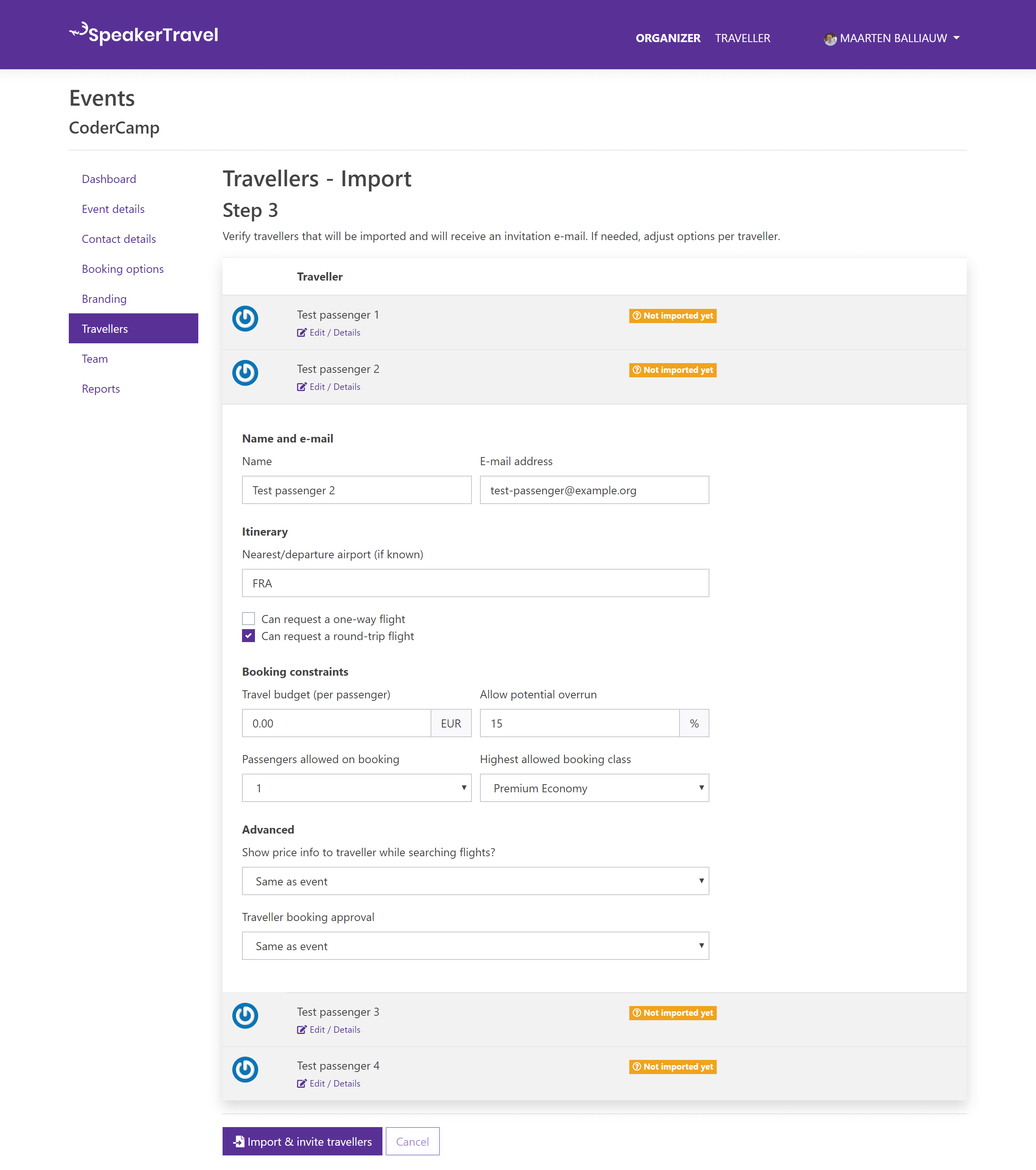
What's important here, is setting the travel budget for each traveller. This can be done in the file you are importing, or by setting a default budget amount during import.
Completing the import wizard will invite all travellers in one go, sending them an invitation e-mail to start searching for flights.
Automatic Approval of Flights Within Budget
On your event's budget options, you can enable automatic flight booking approval for your event.
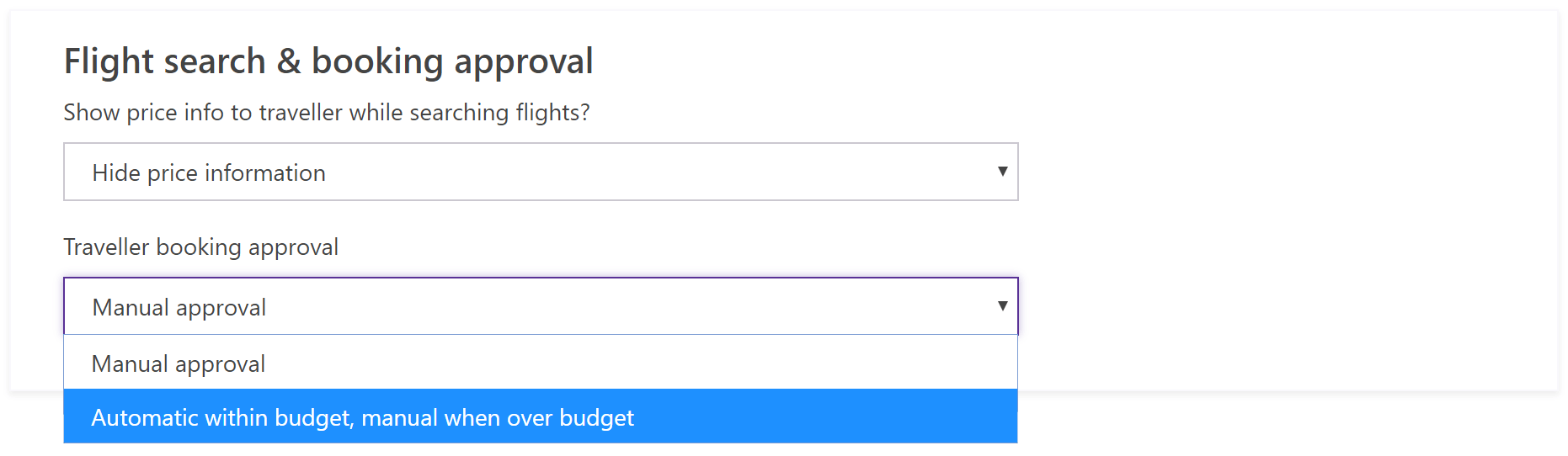
By default, SpeakerTravel requires every flight booking request to be approved by the event owner. Enabling automatic approval will automatically book flights when the request is within budget. Manual approval is only needed when a traveller requests a flight that is slightly over budget (within their budget overrun percentage).
In summary
Here's how to put your conference travel on auto-pilot:
- Import your travellers from Excel, CSV, or Sessionize, setting a travel budget for each (or a default budget for all).
- Enable auto-approval on your event's budget options.
- Done. Speakers book their own travel, and bookings within budget are approved and ticketed automatically.
Combining "bulk invitation" of travellers by importing them into SpeakerTravel with automatic approval for travel booking requests that are within budget, you can run your conference travel booking almost on auto-pilot!
When a travel budget is specified for our travellers, manual intervention will almost never be required.
Using Sessionize? We wrote a step-by-step guide on the full pipeline: From Sessionize CfP to SpeakerTravel: From Accepted to Booked.
Frequently Asked Questions
Can I import speakers from Sessionize into SpeakerTravel?
Yes. Export your accepted speakers from Sessionize as XLSX and upload the file directly. SpeakerTravel recognizes the format and maps the columns for you. You can also import from any Excel or CSV file.
How does auto-approval work in SpeakerTravel?
When enabled, any booking request that falls within the speaker's travel budget is approved and ticketed automatically. You only need to manually review requests that exceed the budget (within the overrun percentage you set).
Do I still need to approve every flight individually?
Not if you enable auto-approval. With budgets set per speaker, flights within budget are approved without any action from you. You only see requests that need attention.