Not sure what budget to set for travellers from different countries? SpeakerTravel can look up flight prices to your event and suggest a budget per country and per continent. You check the suggestions, change what you want, and apply them as country and region budgets.
You need booking enabled, and your event needs an airport and dates. Then click Suggest budget…, top right of the Default budget section on the budget options page.
Setting up a run
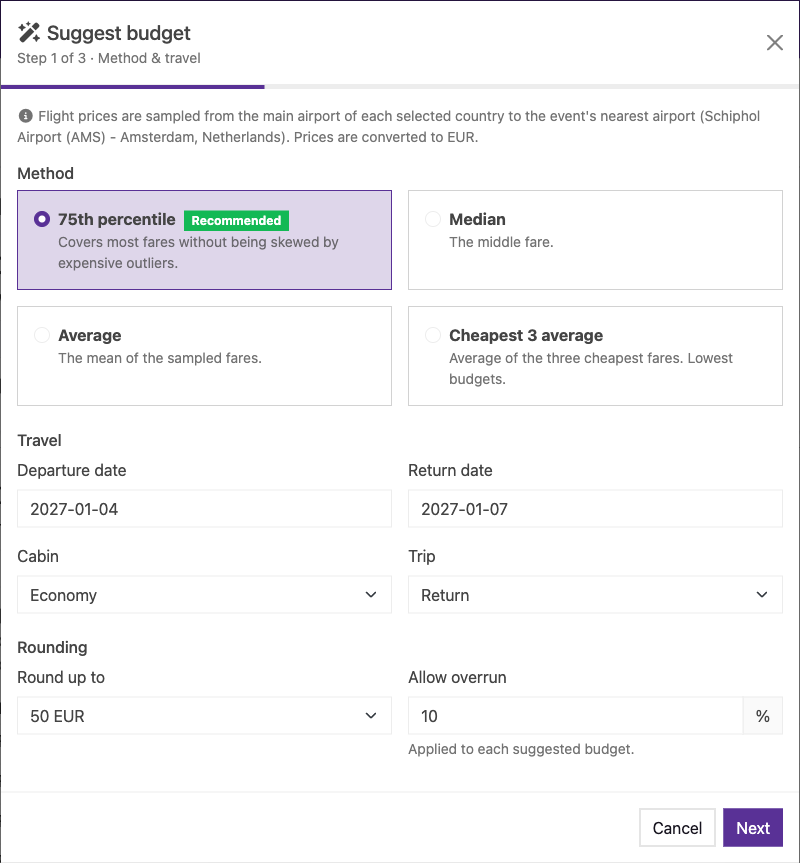
The first step, "Method & travel", is about the trip you want priced: the outbound and return dates (by default the day before the event starts and the day after it ends), cabin class, return or one-way, and how much to round up. Amounts are rounded up to the nearest 10, 50 or 100, after the overrun percentage is added. The overrun defaults to the one set on your event.
The method decides how the prices found are turned into one amount. The default is the 75th percentile, which covers most fares without being thrown off by a few expensive ones. Median takes the middle price, average takes the mean, and "Cheapest 3 average" takes the three lowest fares.
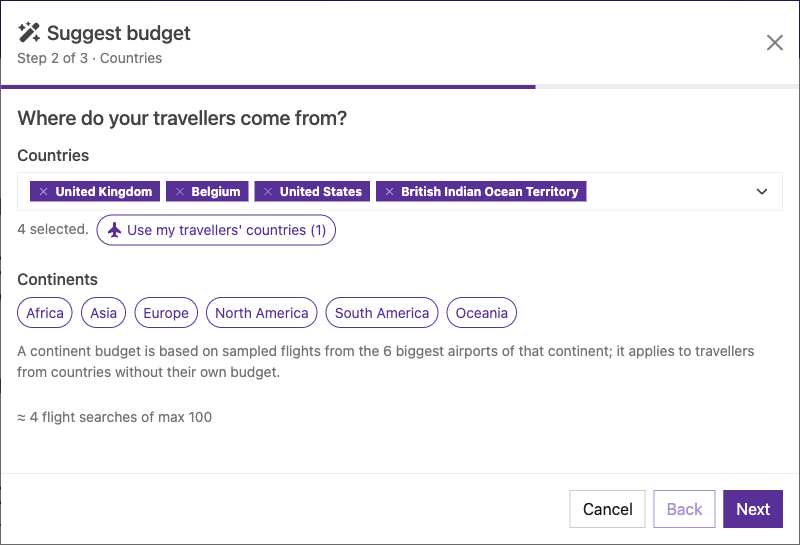
In "Where do your travellers come from?" you pick countries by typing their name. Countries your travellers already fly from are pre-selected. Continents are buttons you toggle on. They are useful as a fallback for countries you didn't pick.
For a country, SpeakerTravel searches from its main airport to your event airport, and uses the second airport if the first has no fares. For a continent it uses the 4 biggest airports. Prices are converted to the event currency.
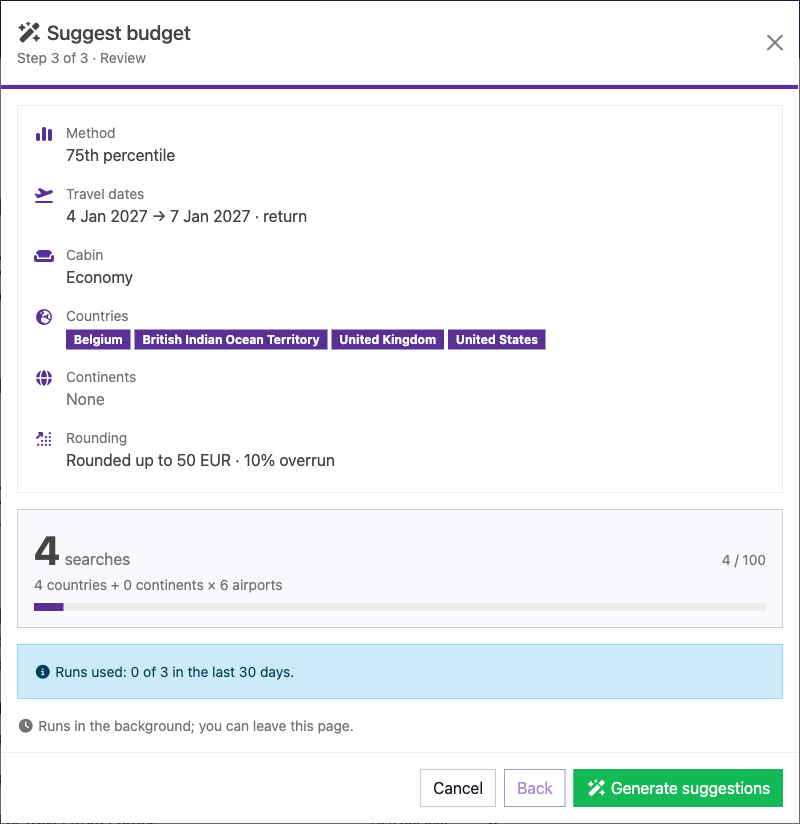
"Review" shows your choices and how many searches the run needs. A run is limited to 200 searches, so pick fewer countries if you go over. You can start 2 runs per event in any 30 days. The run happens in the background, so you can leave the page. You'll get an email when it's done.
Reviewing and applying
The results show up in a "Suggested budgets" panel at the top of the budget options page, with the suggested amount next to the current budget. Rows that already have a budget are unchecked, so nothing gets overwritten by accident. You can edit any amount before applying. Countries where no price was found show the reason, and they fall back to the continent budget or the default budget.
Select the rows you want and click Apply selected, or click Discard to throw the results away. If you are about to overwrite existing budgets, you'll be asked to confirm. Applied suggestions are ordinary budgets, so you can edit or remove them later.
Keep in mind these are indicative prices, based on one pair of dates and flights only.